
Tip: You can use filters for better results
-
Latest News
-
Getting Started
-
Work Place
-
-
-
-
- About Buttons
- Action Buttons
- Schedule Tickets
- Ticket Info and COMS Buttons
- Add Parts
- Assign Partners
- Remove Tickets from the Ticket Clipboard
- Inline Skill Editing
- Create Intervention Info
- Create Intervention Reports
- Cancel Tickets
- Cancel Appointments
- Clone Tickets
- Edit Ticket Details
- Edit Privat Notes
- Report Tickets
- Close Tickets
-
-
Admin Panel
-
FMA 2 App
-
Customer Portal
About Interface Forms
An Interface Form is a reusable definition of which fields on a specific object, such as a ticket, can be updated, and how. Interface Forms are built using the same Forms Designer used for Create, Edit, Report, and other form types, but they have a distinct purpose.
Why use an Interface Form?
Interface Forms let you update ticket or custom object data without sending the entire object payload back and forth. Instead of a partner system needing to know and resend every field on a ticket, it only needs to send the small set of fields defined on the Interface Form, plus the identifiers needed to locate the target record.
Interface Forms can be triggered from a workflow node or from an external system pushing field updates into Fieldcode. To trigger an interface form from an external system, create an Incoming Mapping that wraps the form using the Submit Interface Form interface action.
Building an Interface Form
Click the Create Form button and select Create interface form.
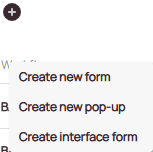
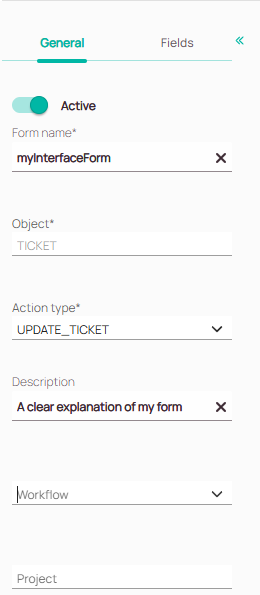
Give the form a name.
Set the Object the form applies to, such as Ticket or a custom object.
Add an action type. If an appropriate action does not exist, you can create it. If you only plan to call the form from an external system, the action type has no effect.
Add a Description to document the form’s purpose.
You may set the Workflow and Project, but this is not mandatory.
Go to the Fields tab and add the fields you want the form to expose for updating. The fields can be organized into different sections.
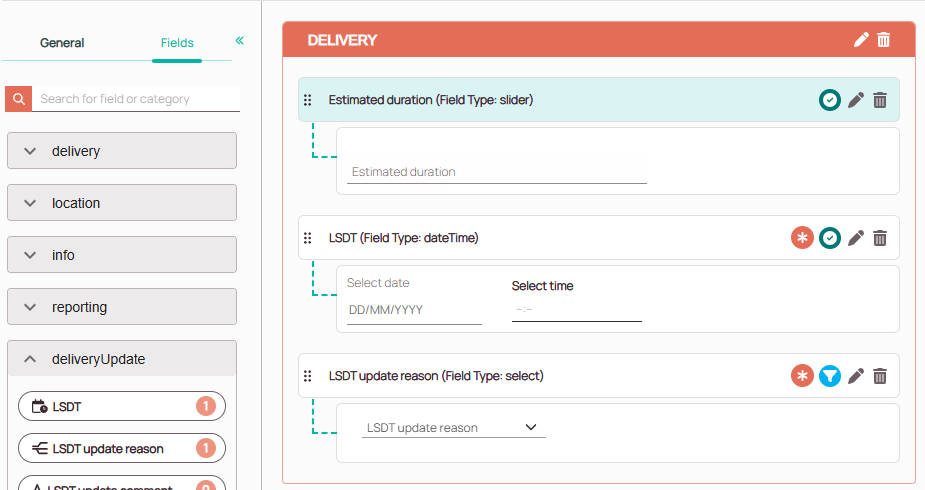
Save the form when all desired fields are added.

Payload Example
Once an Interface Form is saved, open it again and look at the bottom of the left-side panel for Download payload example. This produces a sample JSON payload matching exactly what the form expects: the form ID, the target object’s type and ID, and the values to update.

Always start from this downloaded payload when building an Incoming Mapping or a script that calls the form, rather than typing the structure from memory.
Every Interface Form payload follows the same outer structure, formId, entityType, entityId, params, and values. Only the contents of values differ depending on the form.
0 out of 5 stars
| 5 Stars | 0% | |
| 4 Stars | 0% | |
| 3 Stars | 0% | |
| 2 Stars | 0% | |
| 1 Stars | 0% |