
Fieldcode Manual
Tip: You can use filters for better results
-
Latest News
-
Getting Started
-
Work Place
-
-
-
-
- About Buttons
- Action Buttons
- Schedule Tickets
- Ticket Info and COMS Buttons
- Add Parts
- Assign Partners
- Remove Tickets from the Ticket Clipboard
- Inline Skill Editing
- Create Intervention Info
- Create Intervention Reports
- Cancel Tickets
- Cancel Appointments
- Clone Tickets
- Edit Ticket Details
- Edit Privat Notes
- Report Tickets
- Close Tickets
-
-
Admin Panel
-
FMA 2 App
-
Customer Portal
Last updated:September 11, 2026
About Private Notes
Copy the URL link to this section to share
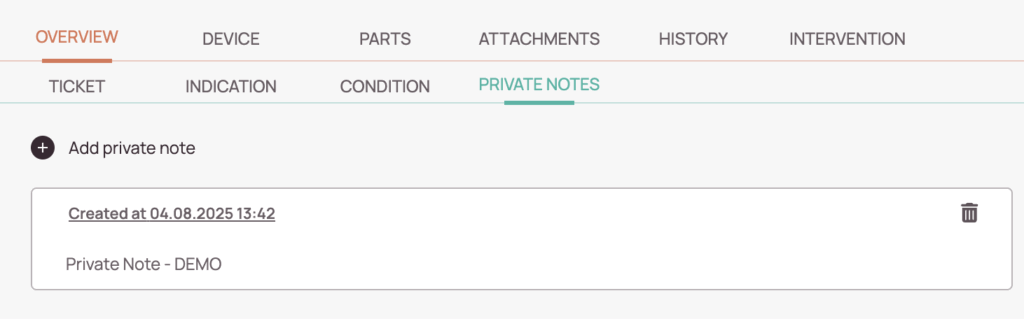
By clicking the Add Private Note button inside the Private Notes tab of the Ticket Details, you can create private notes that are visible only to you and no one else.
Creating Private Notes
Copy the URL link to this section to share
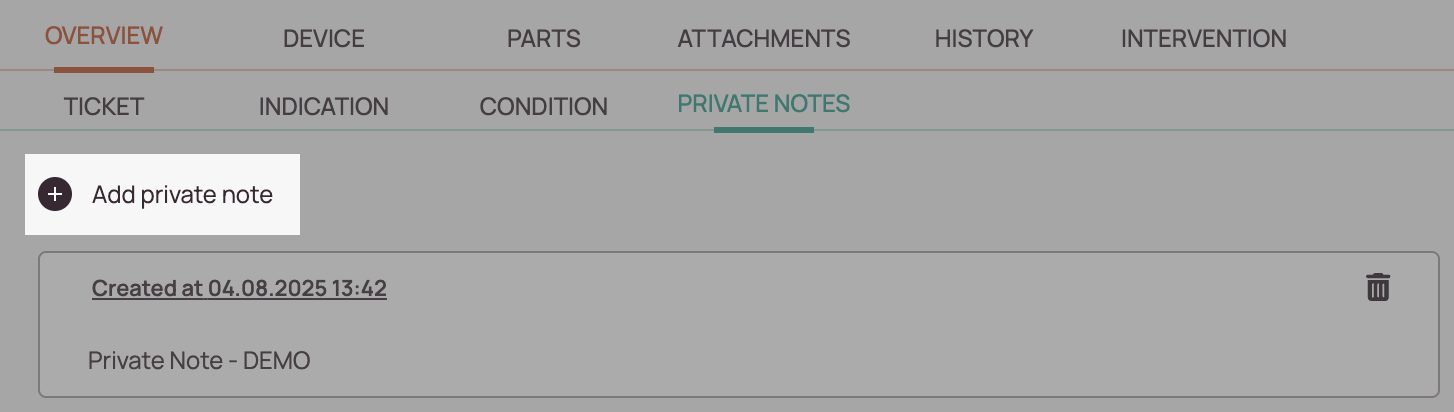
- Inside the Private Notes tab of the ticket that should include a private note, click the Add Private Note button.
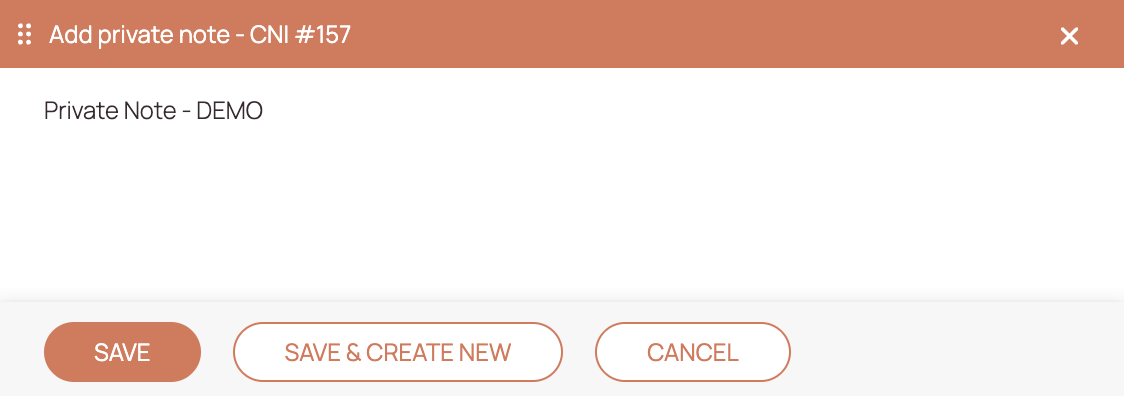
- Enter your private note in the text field.
- Click Save.
- Your note will now be visible inside the Private Notes tab of the Ticket Details, and only you can view it. No history entries will be created.
Deleting Private Notes
Copy the URL link to this section to share
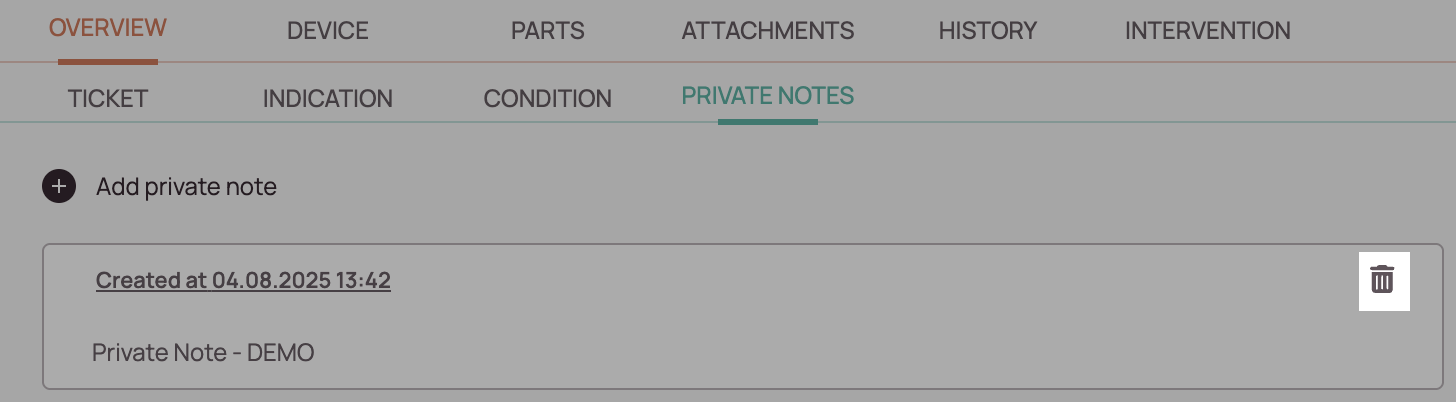
- You can delete a note one by one by pressing the trash bin button next to a private note.
Was this topic helpful?
0 out of 5 stars
| 5 Stars | 0% | |
| 4 Stars | 0% | |
| 3 Stars | 0% | |
| 2 Stars | 0% | |
| 1 Stars | 0% |
5
Navigation